 MvpDots
Colours from the wallpaper
Change the wallpaper and the shell, your apps, the terminal and the window borders all follow.
What it does
Pick a wallpaper and, about a second later, the bar, island, dock, every panel, GTK and Qt apps, the terminal, the prompt, btop, cava and Hyprland's window borders use colours taken from that image.
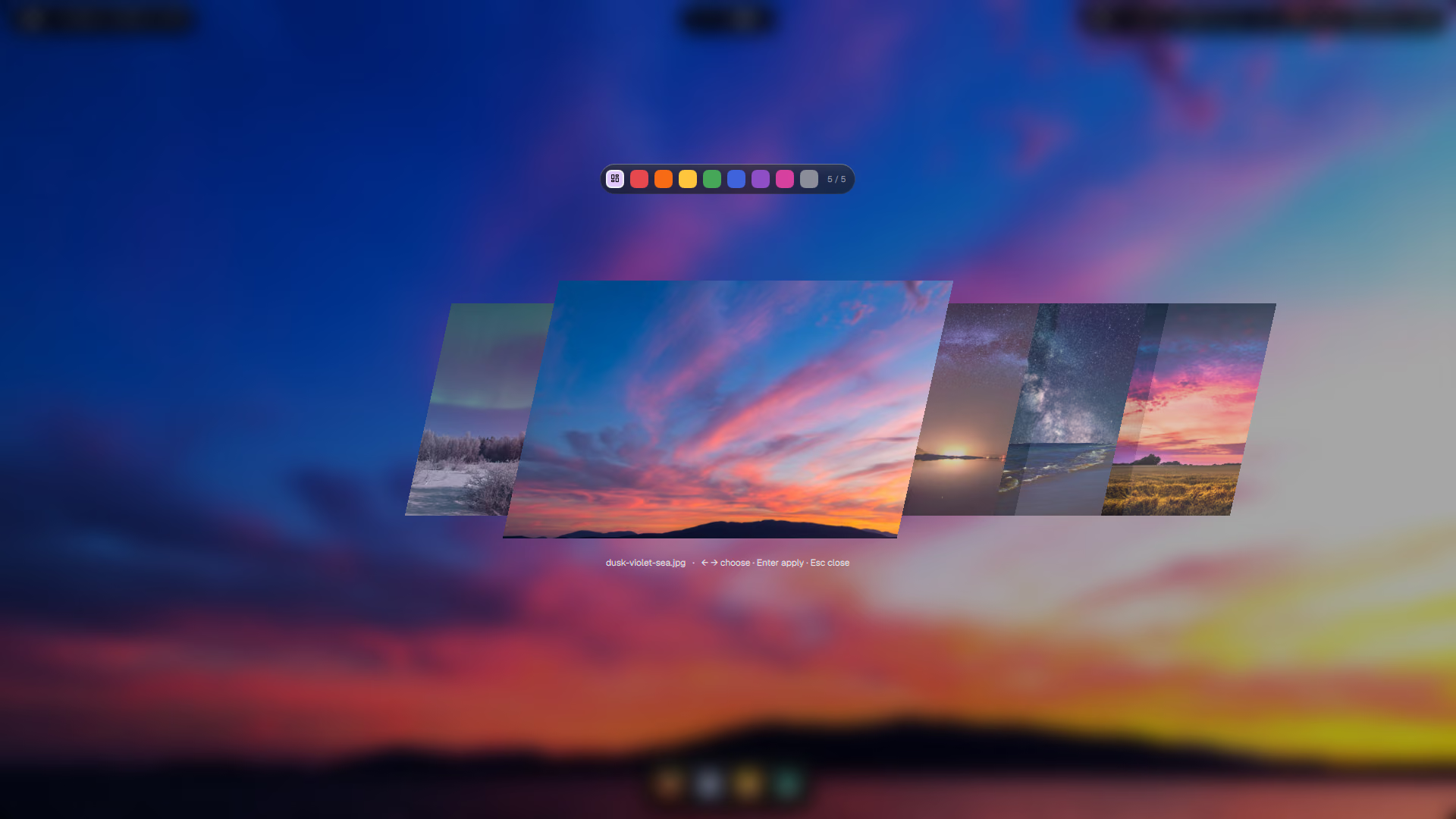
Use it
| How | What |
|---|---|
| Win+W | The wallpaper carousel: arrow keys to browse, Enter to apply |
| Win+Shift+W | A random wallpaper |
| Settings → Appearance | Choose which of the image's colours leads, or a fixed accent |
setwall image.jpg [n] | From a terminal |
Put your own images in ~/Pictures/Wallpapers; the carousel finds them.
How it works
setwall sets the picture with awww, remembers it, and hands the image to matugen:
awww img "$img" --transition-type grow --transition-pos top-right \
    --transition-fps 144 --transition-duration 1.0
printf "%s" "$img" > ~/.local/state/wallpaper/current.path
# A fixed accent chosen in Settings → Appearance wins over the wallpaper's colours.
accent=$(jq -r '.accent // ""' ~/.config/quickshell/prefs.json 2>/dev/null || true)
if [ -n "$accent" ]; then exec ~/.local/bin/setaccent "$accent"; fi
matugen image "$img" -m dark -t scheme-tonal-spot --source-color-index "${2:-0}"
matugen picks the image's main colours, builds a Material You tonal palette from one of them (n picks
which), and renders one template per app. Each template has an output file and, if the app needs a nudge, a hook:
[templates.gtk3]
input_path  = './templates/gtk-colors.css'
output_path = '~/.config/gtk-3.0/colors.css'

[templates.ghostty]
input_path  = './templates/ghostty'
output_path = '~/.config/ghostty/themes/Matugen'
post_hook   = 'pkill -USR2 -x ghostty || true'   # Ghostty reloads its colours live
Every app reloads: the shell watches its colors.json, GTK re-reads its theme, Ghostty and cava get a
signal, Hyprland reloads colors.lua for the borders.
| App | File written | How it reloads |
|---|---|---|
| Shell | ~/.local/state/quickshell/generated/colors.json | watches the file |
| GTK 3 / 4 | gtk-3.0/colors.css, gtk-4.0/colors.css | theme flipped to force a re-read |
| Qt | qt5ct, qt6ct, Kvantum/matugen | next app start |
| Ghostty | ghostty/themes/Matugen | SIGUSR2, live |
| Hyprland borders | hypr/colors.lua | hyprctl reload |
| Starship, btop, cava | starship.toml, btop/themes, cava/config | next prompt / SIGUSR1 |
One image, several palettes
n (0–3) chooses which of the image's main colours leads. On a sunset with a blue sky, 0 might give a sky
blue and 1 the pink of the clouds. In Settings → Appearance the same choice is a row of swatches.
setwall ~/Pictures/Wallpapers/dusk-violet-sea.jpg 0   # blue
setwall ~/Pictures/Wallpapers/dusk-violet-sea.jpg 1   # coral
A fixed accent instead
Settings → Appearance → Accent offers macOS's accent colours. A fixed accent wins over the wallpaper: the
picture still changes, the colours don't. The screenshots in these docs use Mauve (#cba6f7):
 {
-    "accent": "",
+    "accent": "#cba6f7",
     "barStats": true,
Colours stopped following the wallpaper?
A fixed accent is set. Choose Wallpaper in Settings → Appearance (that writes "accent": "" back).
Add your own app
Add a template to ~/.config/matugen/templates/ and register it. matugen fills placeholders such as
{{colors.primary.default.hex}}:
+[templates.myapp]
+input_path  = './templates/myapp.conf'
+output_path = '~/.config/myapp/colors.conf'
+post_hook   = 'pkill -USR1 -x myapp || true'
One output per template
matugen 4.2 writes only the last entry of an output_path list, so use one template block per output file.